v0.2 — Open Source · MIT License

The file manager that embeds anywhere

PHP ≥ 8.1 + Flysystem 3. Alpine.js UI. Local, S3, Cloudflare R2, SFTP. Embed with a few lines of JavaScript.

PHP ≥ 8.1
No framework required
~3 KB
SDK bundle size
MIT
Open source license
16
Languages supported
Live Preview

See it in action
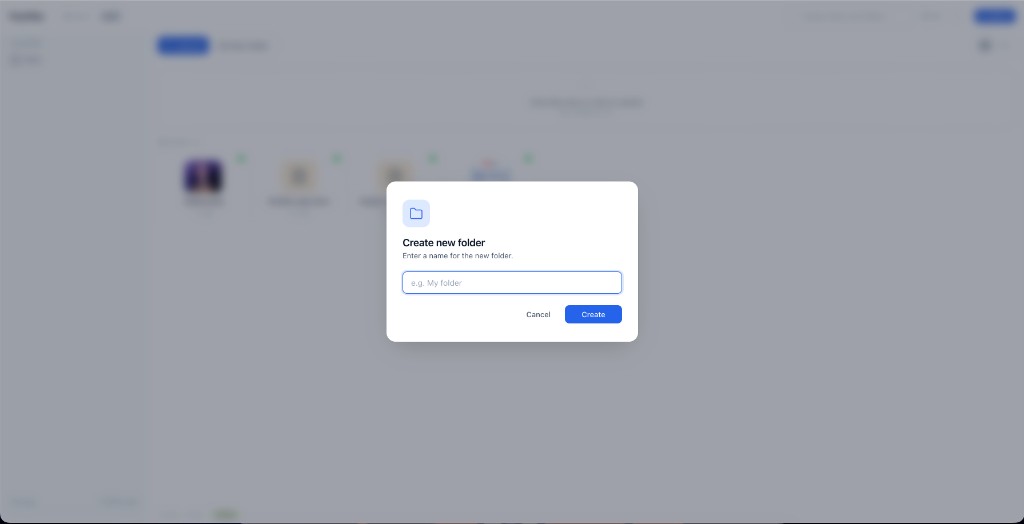
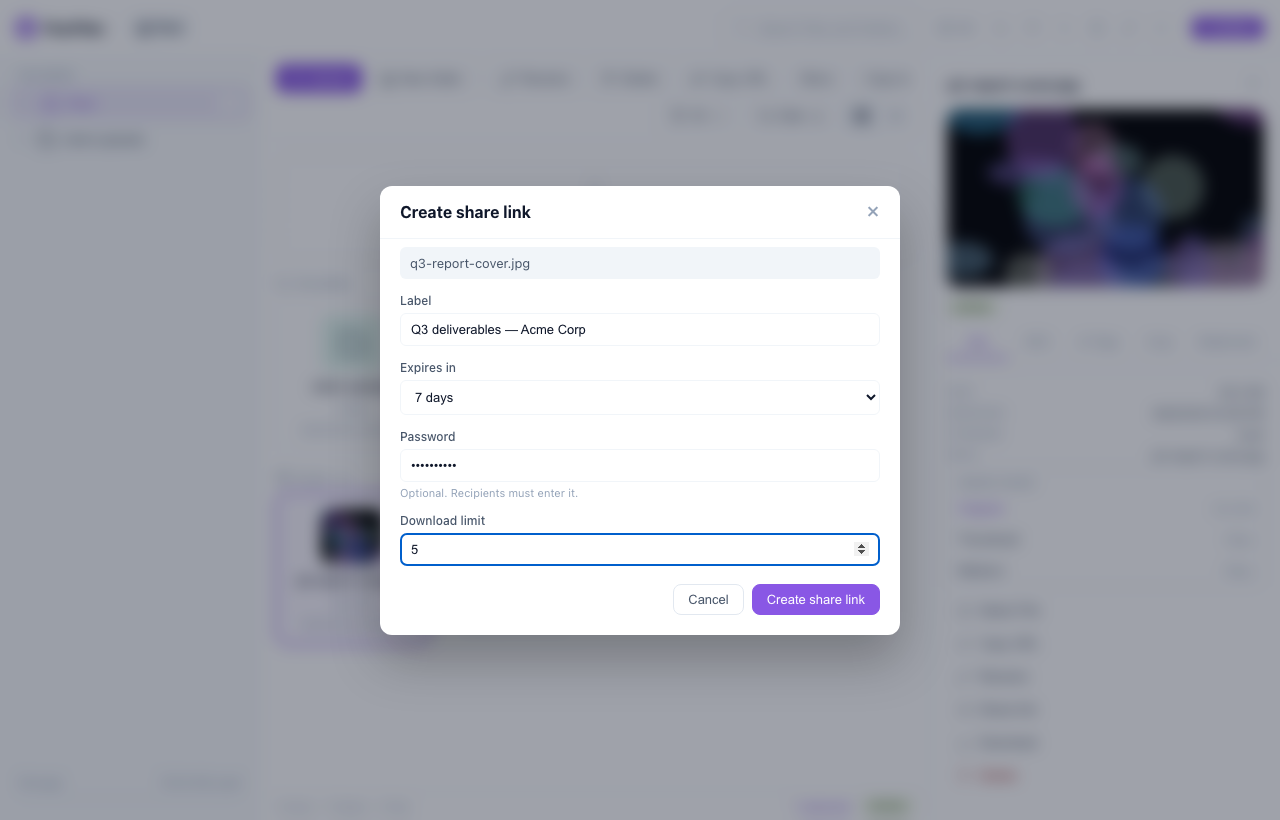
Creating a FluxFiles share link with an expiry, a password and a download limit
Share a file — expiry, password, download cap
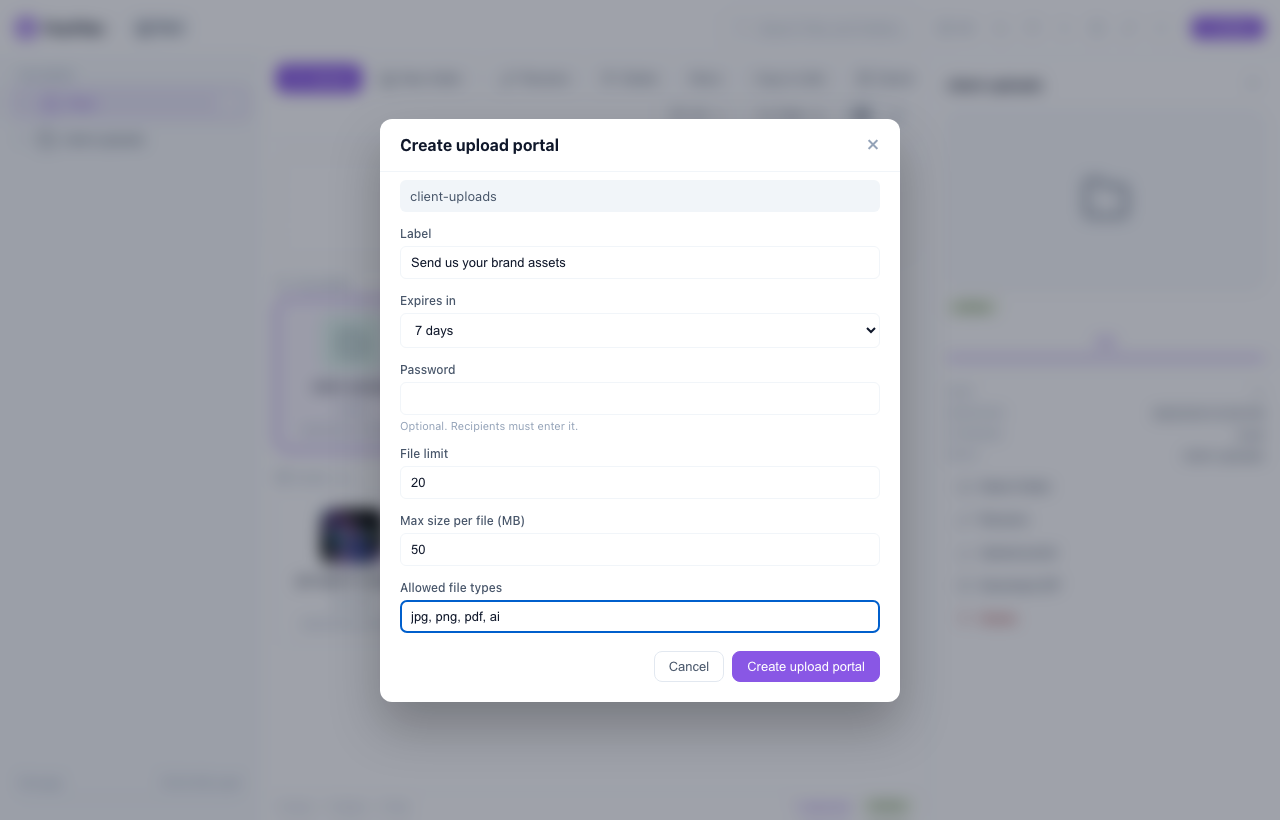
Creating a FluxFiles upload portal with a file limit, size cap and allowed file types
Upload portals — clients send files, no account
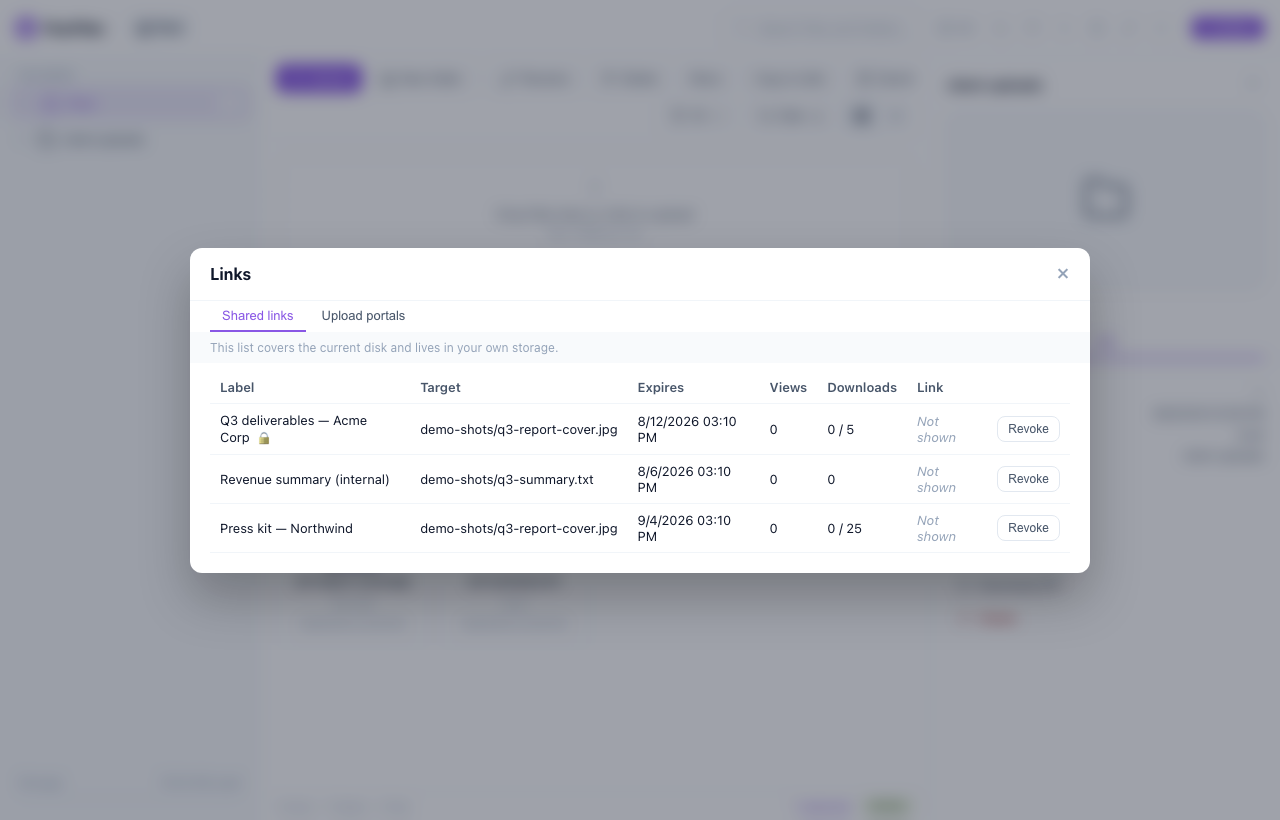
FluxFiles links panel listing shared links with views, downloads and revoke
Manage every link, revoke any of them
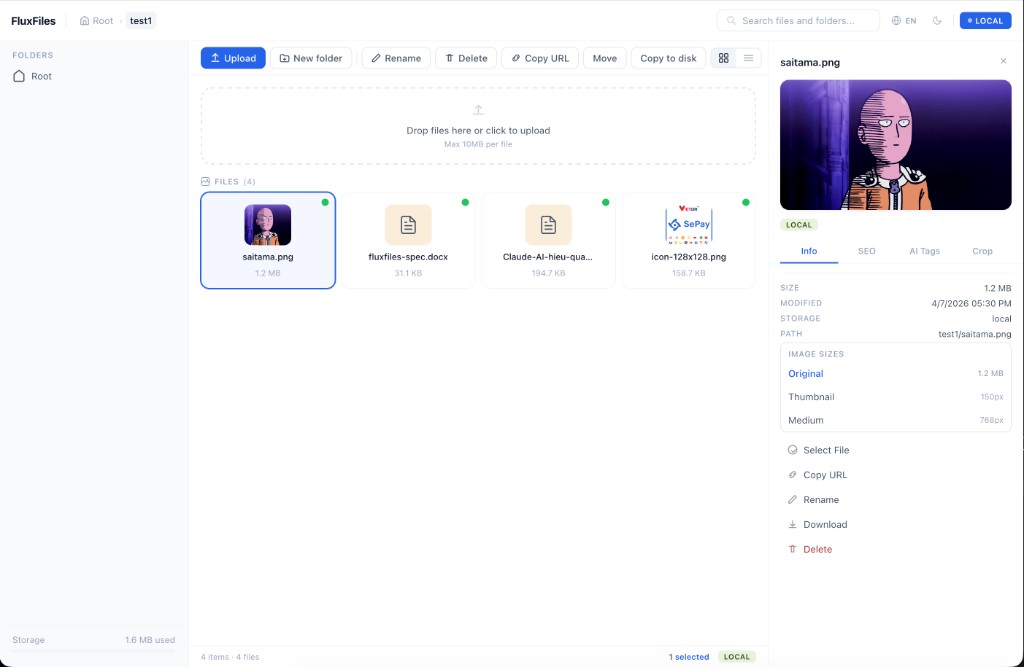
FluxFiles desktop file manager with image thumbnails
Grid view with instant WebP thumbnails
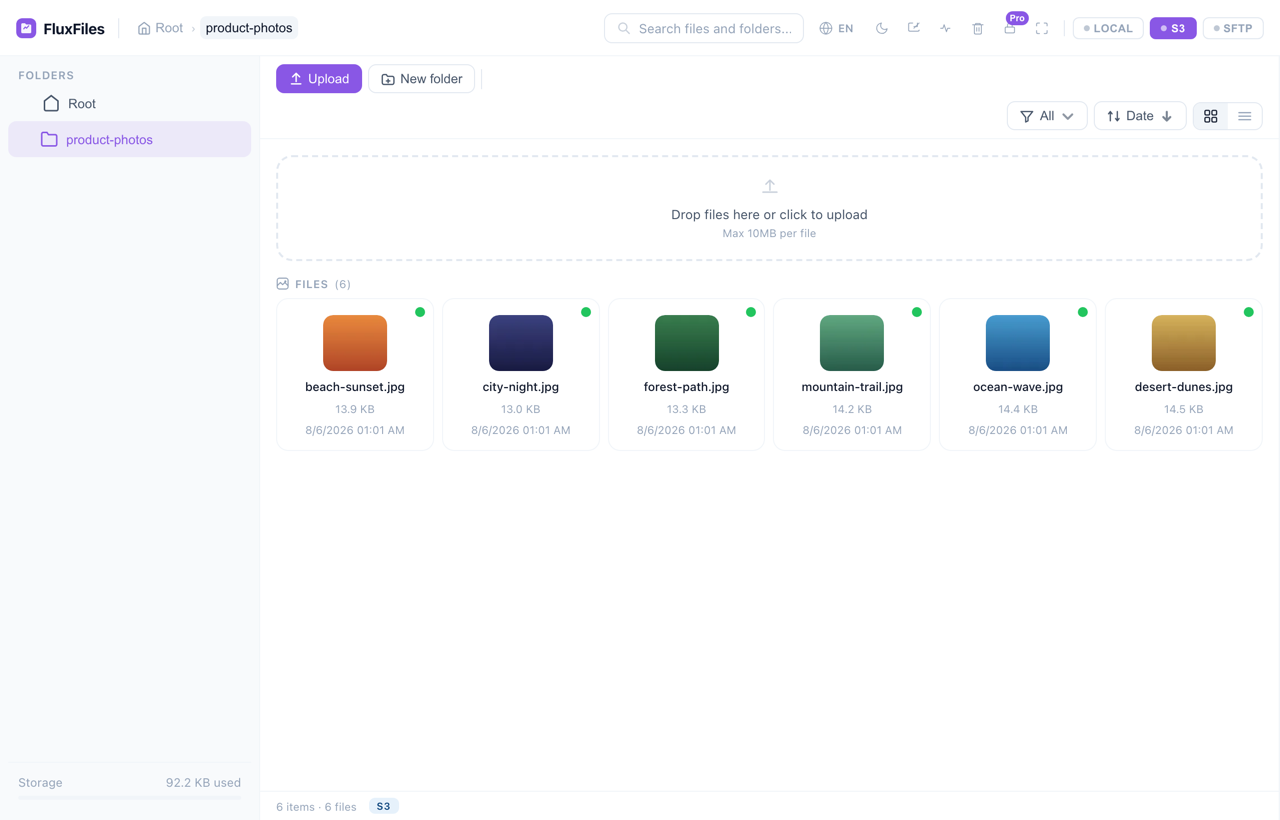
FluxFiles browsing an S3 / R2 bucket with the local, S3 and SFTP disk switcher
Multi-cloud — S3 / R2 / SFTP, one UI
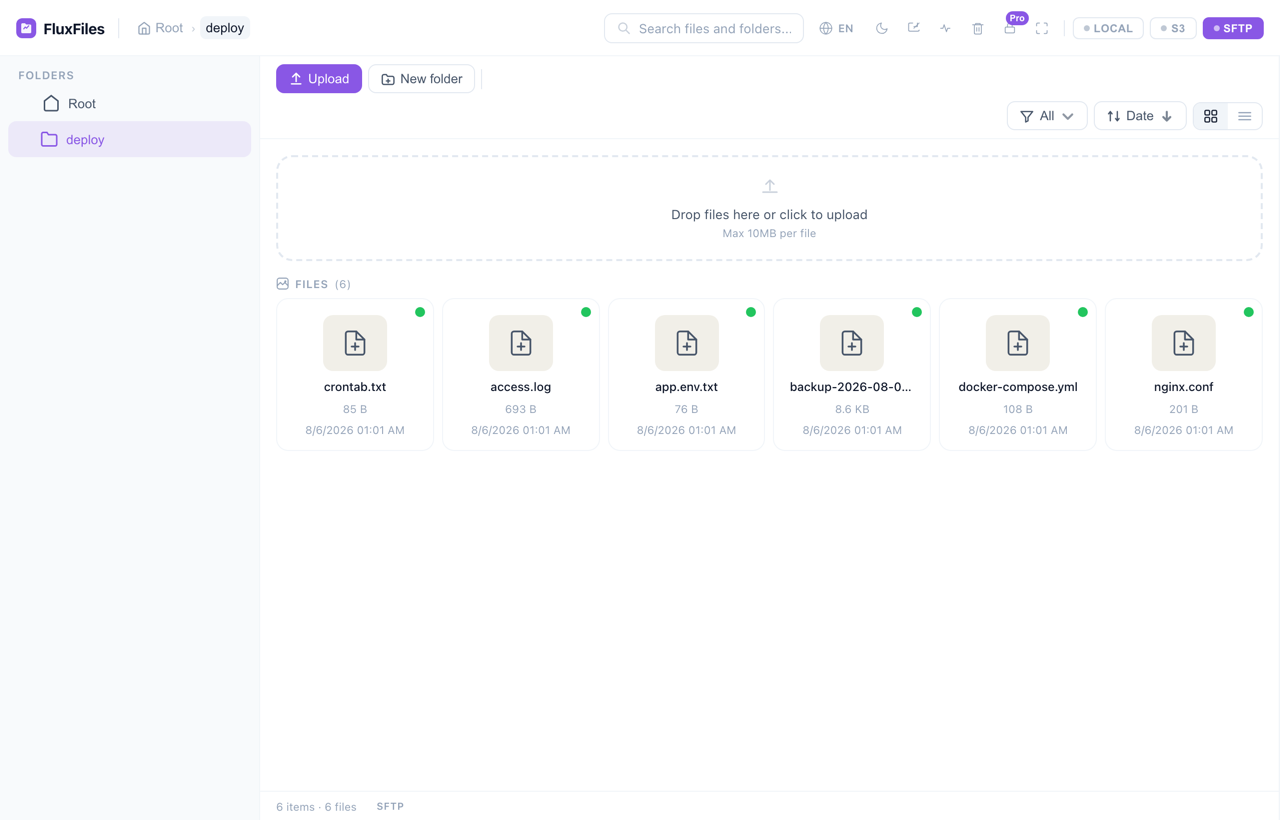
FluxFiles managing a remote VPS deploy directory over SFTP, same UI as the S3 bucket
Remote VPS over SFTP — no FTP client needed
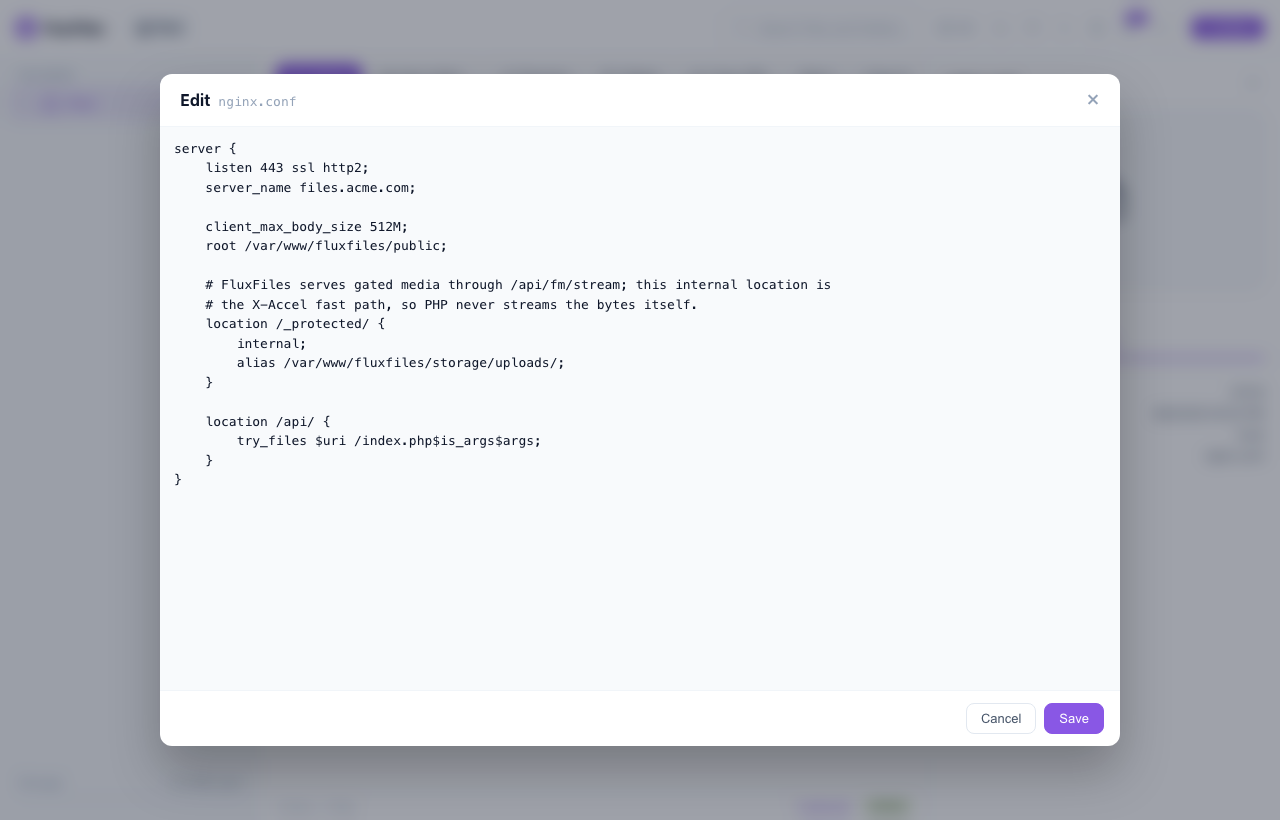
Editing an nginx config file inside FluxFiles with syntax highlighting
Edit config files in place — no SSH, no FTP client
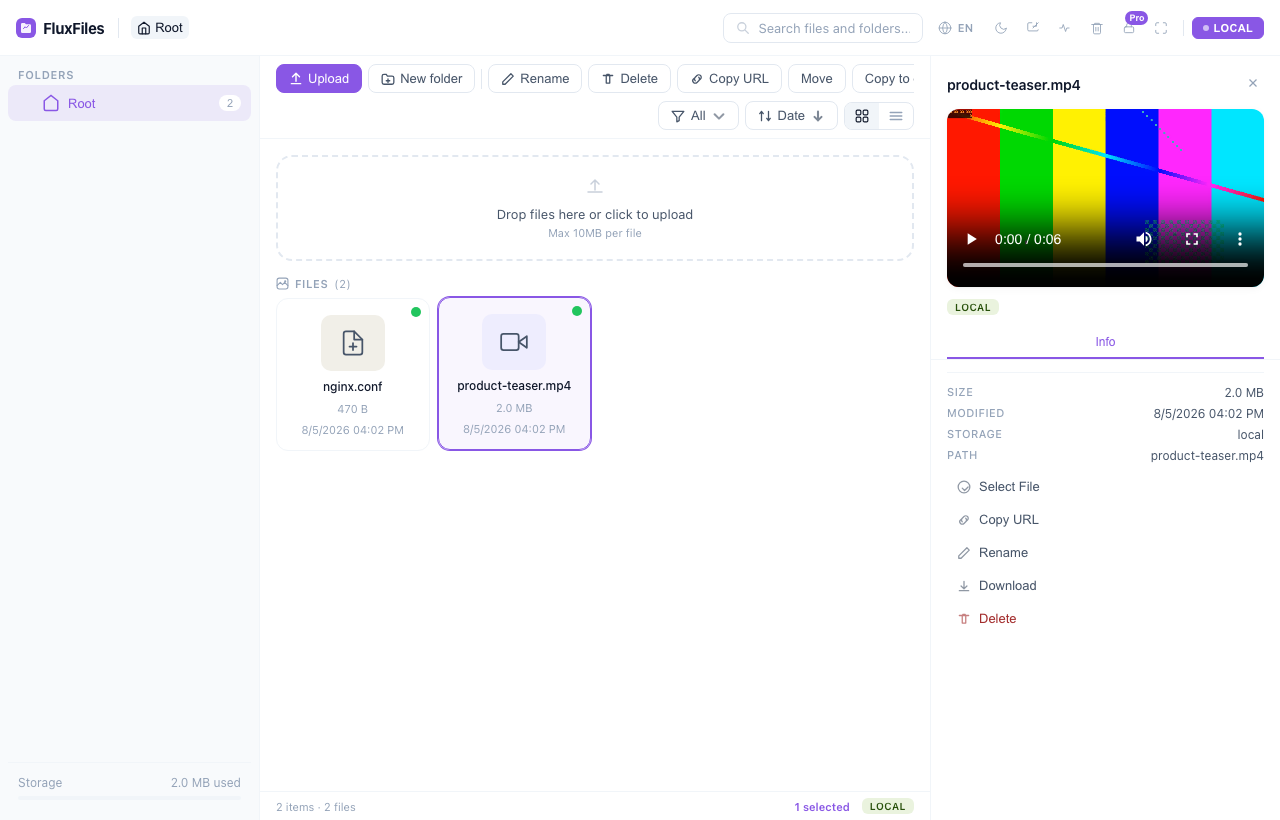
FluxFiles previewing a video inline in the detail panel
Video, audio and PDF preview without downloading
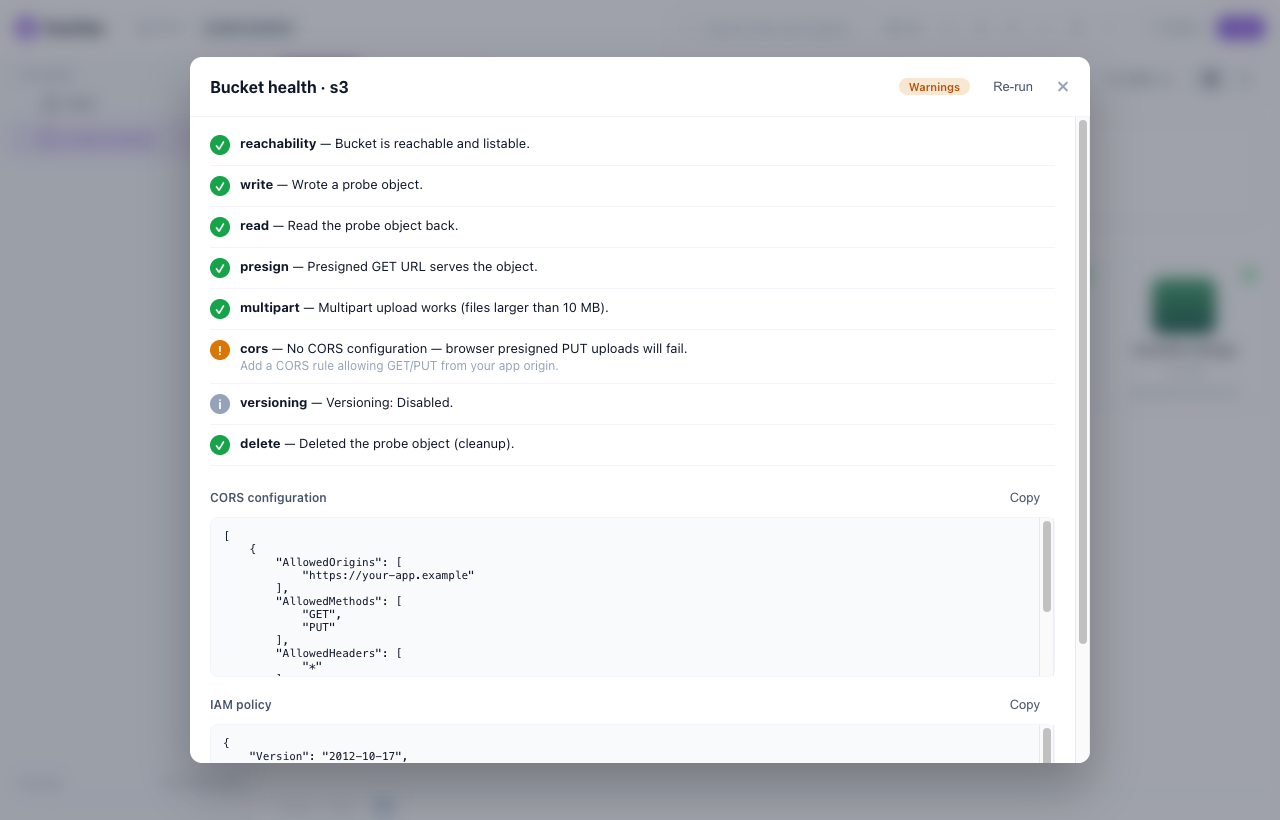
FluxFiles Bucket Doctor health checks for an S3 bucket with CORS and IAM remediation
Bucket Doctor — S3/R2 health checks + fixes
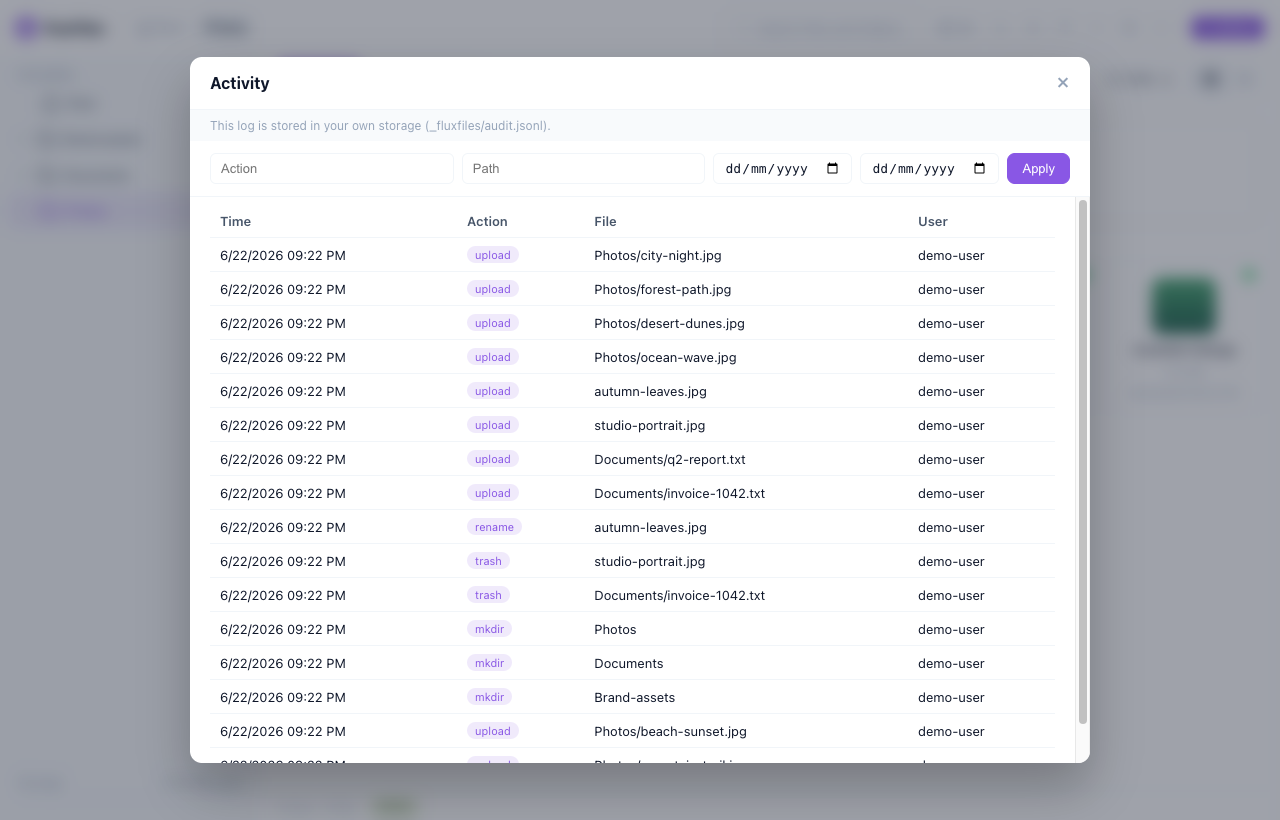
FluxFiles activity log of file operations
Activity log — kept in your own bucket
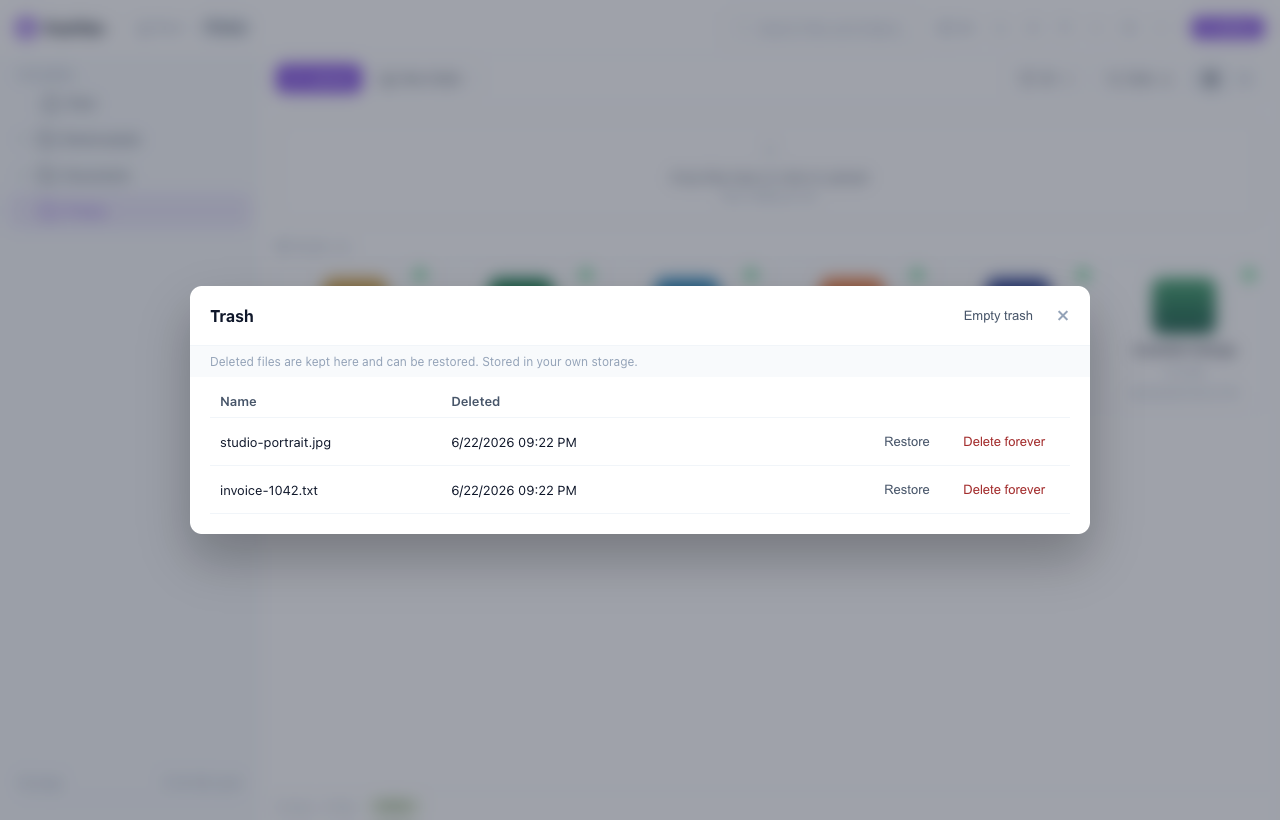
FluxFiles trash with restore and delete forever
Trash — restore or delete forever
FluxFiles responsive mobile file manager
Responsive on mobile
The moat · BYOB

Your customers' files stay in your customers' buckets

FluxFiles is the embeddable file manager where each tenant connects their own S3/R2 bucket — and you never store their data or their credentials.

  • Data sovereignty

    Files live in the customer's own cloud account and region — built for GDPR, compliance, and enterprise procurement.

  • Zero data, zero creds at rest

    Bucket credentials are AES-256-GCM encrypted inside the JWT and decrypted only at runtime — never written to a database or a log.

  • Storage cost that scales to zero

    Storage and egress are billed to each customer, not to you. No storage bill that grows with your user base.

  • Stateless & embeddable

    No central database. Drop the picker into any app by iframe or SDK; your backend mints a scoped, short-lived token.

Your SaaS app
scoped JWT (encrypted creds)
FluxFiles
decrypts at runtime only
Tenant A
own bucket
Tenant B
own bucket
Tenant C
own bucket

How it works: your app encrypts the tenant’s bucket credentials into a short-lived JWT (HKDF-SHA256 + AES-256-GCM). FluxFiles decrypts them only to run the requested operation.

Multi-tenant

One token per tenant — each with its own rules

FluxFiles is stateless: the JWT your backend mints is the tenant's config. Storage path, file-size limit, quota, file count, allowed types, permissions — all enforced server-side. No per-tenant config files, no restarts.

// Your backend, per request — the token IS the tenant's config.
import { createToken } from '@fluxfiles/node';

const claims = tenant.plan === 'pro'
  // 100 MB/file · any type · 50 GB · unlimited files · own bucket
  ? { disks: ['s3'],    maxUploadMb: 100, allowedExt: null,
      maxStorageMb: 51200, maxFiles: 0 }
  // 5 MB/file · images only · 500 MB · 200 files
  : { disks: ['local'], maxUploadMb: 5,   allowedExt: ['jpg','png','webp'],
      maxStorageMb: 500,   maxFiles: 200 };

const token = createToken({
  secret: process.env.FLUXFILES_SECRET,
  userId: tenant.id,
  prefix: `tenant_${tenant.id}/`,   // isolates each tenant's files
  perms:  ['read', 'write', 'delete'],
  ...claims,
});
prefix disks / BYOB max_upload max_storage max_files allowed_ext perms

Pair it with BYOB to put each tenant on their own bucket.

Who it's for

Built for teams that ship file features

If your product needs uploads, FluxFiles drops in — without making you the landlord of your customers' data.

SaaS & multi-tenant apps

Give every customer a file manager on their own bucket. Per-tenant token scoping and data sovereignty are built in.

Agencies & freelancers

Ship a polished media library to each client without standing up storage infrastructure per project.

CMS & editor integrations

Drop a media picker into CKEditor, TinyMCE, Summernote, or your own editor via the iframe SDK.

Internal tools & dashboards

Add uploads, previews and audited file operations to admin panels in an afternoon.

Features

Everything a modern file manager needs

Built for developers who need flexibility.

Multi-storage

Local, AWS S3, Cloudflare R2, SFTP via Flysystem v3 — swap with config, no code change.

Embed anywhere

iframe + postMessage SDK. Standalone UI is Alpine.js (zero build). Works with any framework.

JWT auth + scoping

Per-user path prefix, permission claims, disk whitelist, owner-only mode.

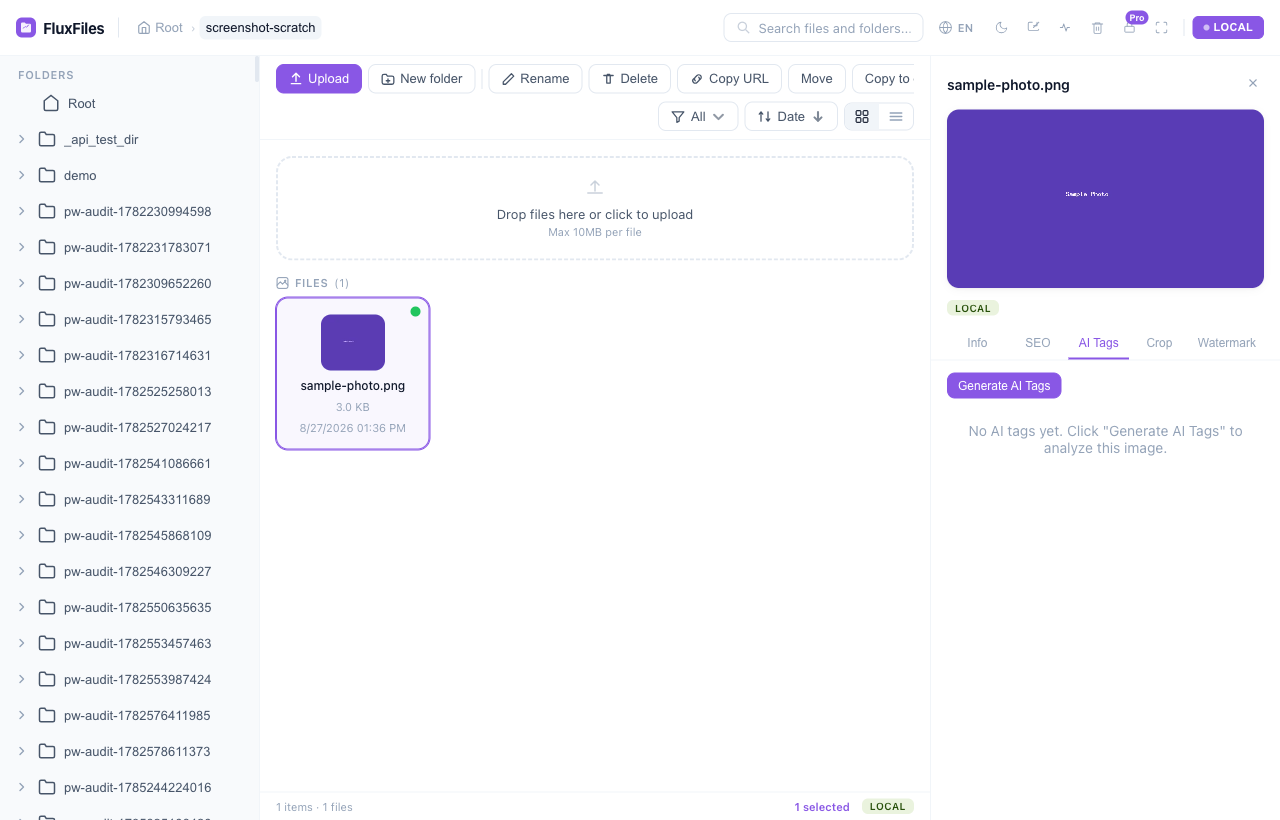
AI auto-tag

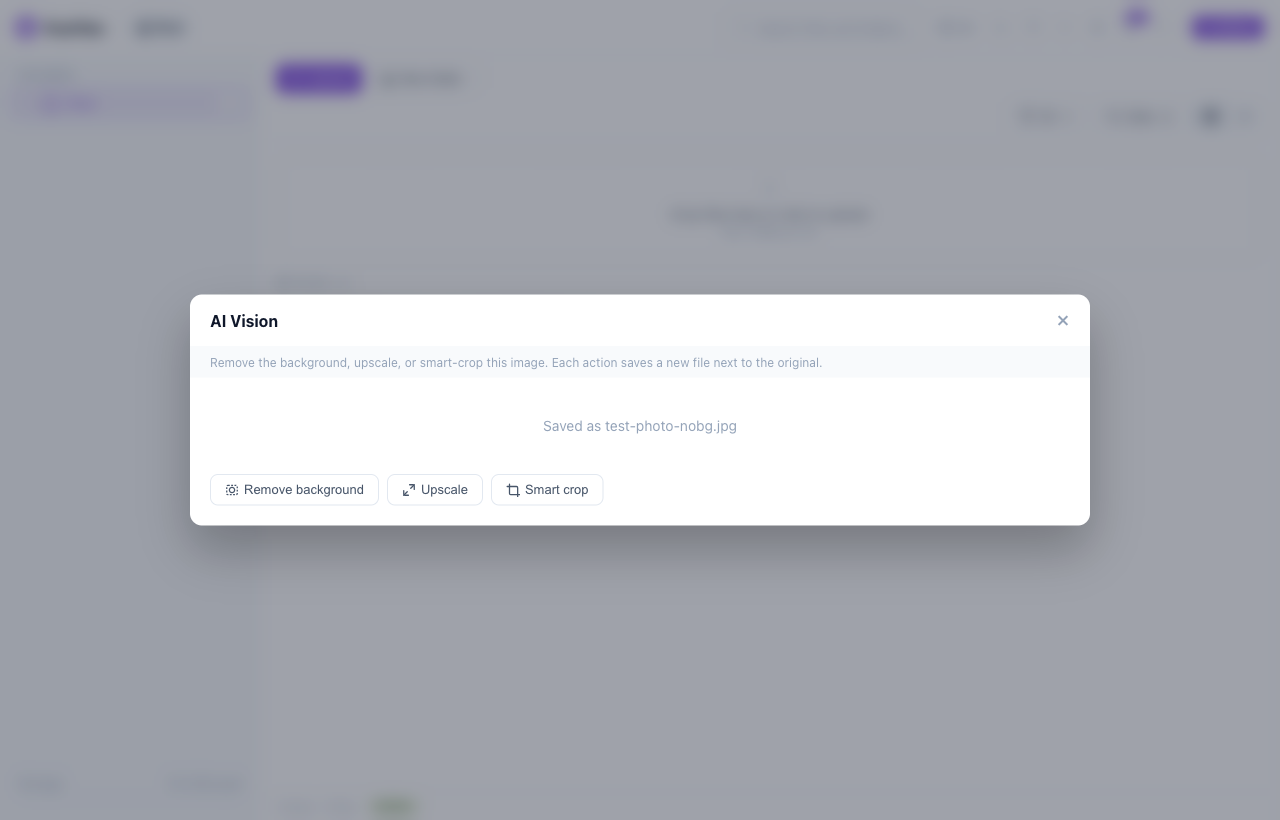
Claude / OpenAI vision — auto alt text, title, tags.

Image crop

Inline crop tool with aspect ratio presets.

Image optimization

Auto WebP variants — thumb, medium, large.

Presigned uploads

Browser uploads directly to S3/R2 — zero bandwidth on your server.

Chunk upload

S3 multipart for files > 10MB.

Full-text search

Indexed search across names, titles, tags — file-based, no database.

Bulk operations

Multi-select move, copy, delete, download.

Cross-disk transfer

Copy/move between Local ↔ S3 ↔ R2.

Trash / soft delete

Recoverable deletes with auto-purge.

SEO metadata

Title, alt, caption, tags — S3 object metadata (cloud) or sidecar JSON (local). Full-text search.

Dark mode

Light / dark / auto in UI and SDK.

16 languages

Default English. Set locale via SDK, URL (?locale=), or FLUXFILES_LOCALE. RTL for Arabic.

Audit log

All write actions logged for compliance.

Rate limiting

Token bucket per user for API protection.

Storage quota

Per-user storage limits via JWT claims.

BYOB buckets

Users bring their own S3/R2 — credentials encrypted in JWT (AES-256-GCM).

Duplicate detection

SHA-256 match skips redundant uploads unless you force overwrite.

SDK token refresh

onTokenRefresh on 401 — coalesced refresh, retry, and updateToken() for proactive rotation.

Bucket Doctor

Diagnose any S3/R2 disk — credentials, read/write/delete, presign, CORS, multipart — with ready-to-paste IAM & CORS fixes. Onboard BYOB buckets in minutes.

Node token SDK

Mint FluxFiles tokens from any JS backend (Express, Next.js, Nuxt) with @fluxfiles/node — byte-compatible with the PHP core. No PHP required to issue tokens.

SFTP disk

A 3rd driver after S3/R2 — turn any VPS or shared host into a managed file manager.

Code / config editor

Edit text and config files (wp-config.php, .env, nginx.conf) in-browser, cPanel-style.

Zip & Extract

Download a selection as a zip, or extract an archive in place — zip-slip & bomb guarded.

Watermark

Apply a text or logo watermark on the fly for preview protection — the source is never touched.

On-demand WebP + AVIF

Serve any image size as cached AVIF/WebP via one URL (Accept-negotiated), with ready responsive srcset.

SFTP permissions

Change Unix file permissions (chmod) on SFTP disks with a cPanel-style dialog.

Usage dashboard

See storage at a glance — quota plus a per-type and per-folder breakdown.

Media preview

Inline image, video, audio & PDF preview; private local media streams securely (Range-capable).

Quick install

Up and running in 2 minutes

composer require fluxfiles/fluxfiles
cp .env.example .env

# .env
FLUXFILES_SECRET=your-random-32-char-secret
FLUXFILES_ALLOWED_ORIGINS=https://yourapp.com

require_once 'vendor/autoload.php';

$token = fluxfiles_token(
    userId: 'user-123',
    perms: ['read', 'write', 'delete'],
    disks: ['local', 's3', 'r2'],
    prefix: 'user-123/',
    maxUploadMb: 10,
    allowedExt: null,
    ttl: 3600
);
composer require fluxfiles/laravel
php artisan vendor:publish --tag=fluxfiles-config

# .env — point the adapter at your FluxFiles server
FLUXFILES_ENDPOINT=https://fm.yourdomain.com
FLUXFILES_SECRET=your-secret-min-32-chars

# Optional: match CORS on the FluxFiles host
# FLUXFILES_ALLOWED_ORIGINS=https://yourapp.com

# Config: config/fluxfiles.php
npm install @fluxfiles/node

// Express / Next.js route — mint a token from your JS backend (no PHP)
import { createToken } from '@fluxfiles/node';

app.get('/fluxfiles-token', (req, res) => {
    const token = createToken({
        secret: process.env.FLUXFILES_SECRET, // >= 32 bytes
        userId: req.user.id,
        perms: ['read', 'write', 'delete'],
        prefix: `users/${req.user.id}`,
        ttl: 3600,
    });
    res.json({ token });
});
<!-- Demo: unpkg. In production, serve fluxfiles.js from your FluxFiles host -->
<script src="https://unpkg.com/fluxfiles@latest/fluxfiles.js"></script>

<script>
FluxFiles.open({
    endpoint: 'https://your-api.com',
    token: 'eyJhbGci...',
    disk: 'local',
    mode: 'picker',
    container: '#file-picker',
    onSelect: function(file) {
        console.log('Selected:', file.url);
    },
    async onTokenRefresh() {
        const r = await fetch('/api/auth/refresh-fluxfiles-token');
        const { token } = await r.json();
        return token;
    }
});
</script>
npm install @fluxfiles/react

import { FluxFilesModal } from '@fluxfiles/react';

<FluxFilesModal
    open={open}
    endpoint="https://your-api.com"
    token={token}
    onSelect={(file) => console.log(file)}
    onClose={() => setOpen(false)}
/>
npm install @fluxfiles/vue

<script setup>
import { FluxFilesModal } from '@fluxfiles/vue';
</script>

<FluxFilesModal
    v-model:open="open"
    endpoint="https://your-api.com"
    :token="token"
    @select="onSelect"
    @close="open = false"
/>
git clone https://github.com/thai-pc/fluxfiles.git
docker build -f fluxfiles/docker/Dockerfile.prod -t fluxfiles fluxfiles

docker run -p 8080:80 \\
  -e FLUXFILES_SECRET=your-random-32-char-secret \\
  fluxfiles

# UI: http://localhost:8080/public/index.html
git clone https://github.com/thai-pc/fluxfiles.git
cd fluxfiles
composer install -d packages/core
cp .env.example .env

cd packages/core
php -S localhost:8080 router.php

# UI:  http://localhost:8080/public/index.html
# API: http://localhost:8080/api/fm/list?disk=local&path=

Works with

Laravel WordPress React / Next.js Vue / Nuxt CKEditor 4 TinyMCE Summernote Any framework

Integrations

Drop-in adapters for your stack

Official adapters embed FluxFiles natively in the frameworks and editors you already use.

Laravel
PHP
WordPress
Plugin
React
Component
Vue / Nuxt
Component
CKEditor 4
Plugin
TinyMCE
Plugin
Summernote
Plugin

Embed

Embed it in a few lines

Load fluxfiles.js, pass a server-minted JWT, and drop a full file manager — or a file-picker modal — into any page.

<script src="https://fm.example.com/fluxfiles.js"></script>

FluxFiles.open({
  endpoint: 'https://fm.example.com',
  token: 'eyJhbGci...',   // JWT from your backend
  disk: 'local',
  mode: 'picker',         // select & close
  theme: 'auto',
  onSelect(file) {
    // { url, key, name, size, disk, meta, variants }
    document.querySelector("#img").src = file.url;
  },
});
<div id="fm" style="height:600px"></div>

FluxFiles.open({
  endpoint: 'https://fm.example.com',
  token: 'eyJhbGci...',
  mode: 'browser',          // full manager, stays open
  container: '#fm',         // omit for a modal overlay
  disks: ['local', 's3', 'r2'],
});

FluxFiles.on('FM_EVENT', (e) => console.log(e.event));
FluxFiles.navigate('/photos/2024');
import { FluxFilesModal } from '@fluxfiles/react';

function Picker({ open, setOpen, token }) {
  return (
    <FluxFilesModal
      open={open}
      endpoint="https://fm.example.com"
      token={token}
      onSelect={(file) => console.log(file.url)}
      onClose={() => setOpen(false)}
    />
  );
}

Tokens are minted server-side — never ship your secret to the browser.

Why FluxFiles

Built for what others forgot

Swipe to compare
Feature FluxFiles elFinder Laravel-FM RichFilemanager Responsive FM
S3 + R2 + Local + SFTP
Embed any framework
JWT auth + scoping
SEO metadata
AI auto-tag
Image crop
Chunk upload
Full-text search
Dark mode
16 languages
PHP ≥ 8.1
Actively maintained
Modern UI
vs. file-API SaaS

Self-hosted and embeddable — not another upload SaaS

Hosted file APIs are great, but they store your data and bill per use. FluxFiles runs in your stack, with each tenant on their own bucket.

Swipe to compare
Capability FluxFiles Filestack Uploadcare Cloudinary Supabase Storage
Self-hosted (runs in your infra)
BYOB — each customer’s own bucket
Embeddable file-manager UI
Open source (MIT)
No per-storage / per-upload SaaS fees
Multi-storage (S3 / R2 / local)
Per-tenant token scoping built in

Comparison reflects typical default offerings; each product excels in its own space. FluxFiles’ niche is the embeddable, self-hosted, bring-your-own-bucket combination.

Sellable products

Do more than manage files — sell & receive them

The free core embeds a file manager. The paid modules turn it into products your clients pay for.

Pro

Branded Share

Send a branded, self-serve link to any file or folder — with expiry, password, download cap, and view analytics. Your logo, your domain.

  • Expiring / password-protected links
  • Download caps + view analytics
  • Scoped token — no account for the recipient
Pro

Upload Portals

A public “send us your files” page that drops straight into your storage. Perfect for agencies, photographers, and client onboarding — no account for the uploader.

  • Public portal → your bucket
  • Per-portal size / type / expiry limits
  • Anonymous upload, owner-scoped
Enterprise

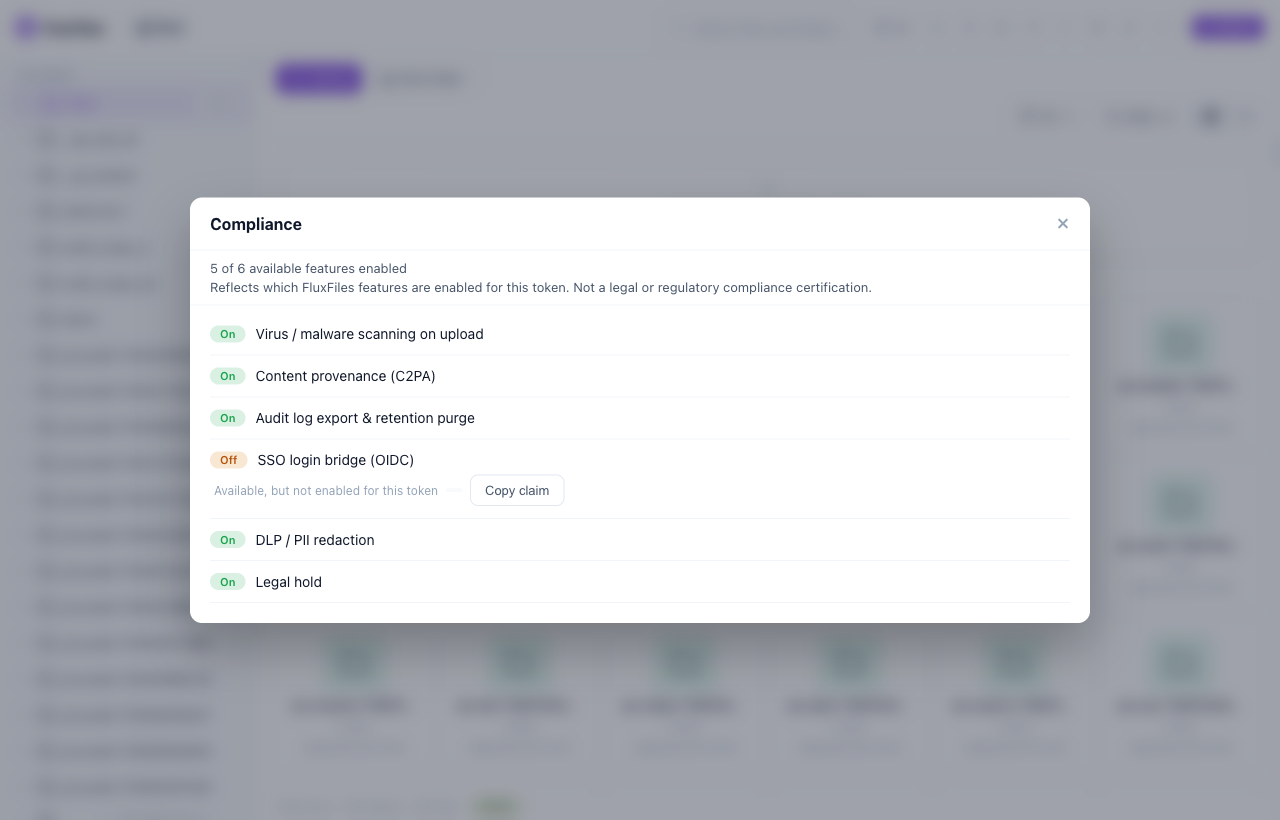
Compliance bundle

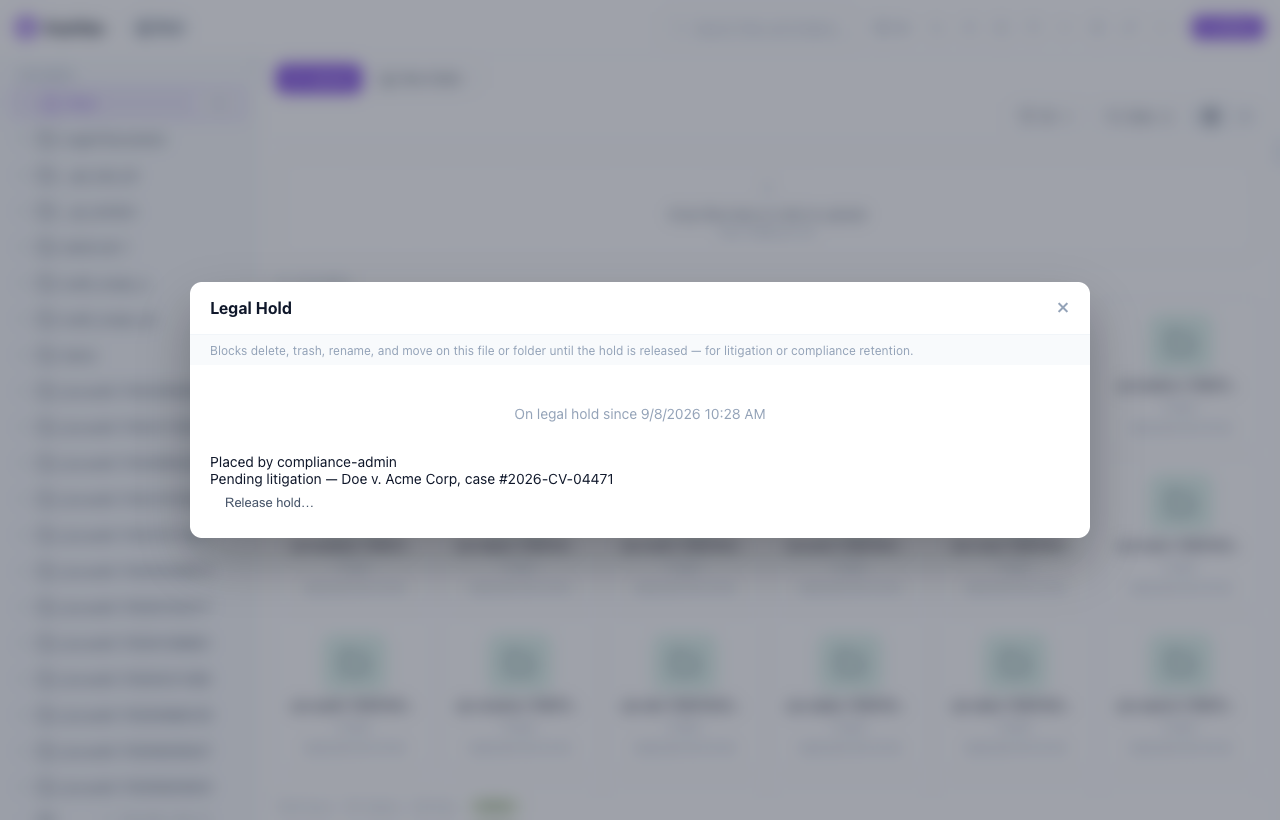
Virus scanning, C2PA content provenance and audit retention — for regulated and enterprise deployments.

WordPress

One plugin instead of three

On WordPress, FluxFiles is both a client file-portal AND a media manager — replacing separate folder, cloud, and offload plugins.

Capability FluxFiles FileBird WP Media Folder WP Offload
Media folders
S3 / R2 / SFTP storage
Offload + URL rewrite
Client upload portals
Branded share links
Typical price One license $49/yr $69/yr paid

Folders + cloud + offload + client portals in one — instead of paying FileBird and WP Media Folder and WP Offload separately.

Pricing

Free core. Pay only for the paid modules.

The MIT core is free forever. Upgrade for the two hero products — Branded Share + Upload Portals — and beyond.

Free (Core)

$0 forever

The full MIT file manager, self-hosted.

Get started
  • Local / S3 / R2 / SFTP storage, JWT-scoped
  • On-demand WebP + AVIF + image/PDF optimization
  • Watermark, versioned-hook, usage dashboard, AI auto-tag
  • 7 adapters + BYO-embed terminal / PDF / office / e-sign
Most popular

Pro

$79 /year

Sell & receive files with clients.

Coming soonComing soon
  • Everything in Free
  • Branded Share — links with expiry / password / cap / analytics
  • Upload Portals — public “send us files”, no account
  • Priority support + updates

Studio

$299 /year

Build a product on FluxFiles.

Coming soonComing soon
  • Everything in Pro
  • Versioning + Webhooks (Zapier/Make/n8n)
  • AI Vision + OCR (BYO-key)
  • Multi-tenant claim-tiering + white-label

Enterprise

Custom

Compliance, at scale.

Contact sales
  • Everything in Studio
  • Virus scan + C2PA provenance + audit retention
  • SSO bridge + custom onboarding
  • SLA + priority roadmap

Flat-fee, unlimited sites — not metered per file/call. Annual saves ~2 months; a lifetime option is available. 14-day refund. Buyer-side VAT handled at checkout.

FAQ

Frequently asked questions

Is FluxFiles free and open source?
Yes — MIT licensed, free to self-host, and published on Composer and npm. No paid tiers, no usage limits.
Where are my files stored?
Wherever you point it: local disk, AWS S3, Cloudflare R2, or a remote server over SFTP via Flysystem. You own the storage — nothing goes through a third party.
How does authentication work?
Stateless JWT (HS256): you mint a token server-side with granular claims (permissions, disks, path scope, limits), so each user sees only what you allow.
Do my users need a FluxFiles account?
No. FluxFiles trusts the JWT from your own app, so it plugs into your existing auth — there's no separate user system.
Can I embed it in my existing app or editor?
Yes — the iframe + JS SDK works in any page, with official adapters for Laravel, WordPress, React, Vue/Nuxt, CKEditor 4, TinyMCE and Summernote.
What do I need to run it?
PHP 8.1+ with common extensions and Composer. Point it at a disk, set a secret and allowed origins, then serve — it runs on a small VPS.
What do the paid tiers include?
The core is free (MIT). Paid tiers unlock file-portal modules: Branded Share (expiring/password links) and Upload Portals (public “send us files”), plus Versioning, Webhooks, AI Vision/OCR and a compliance bundle at higher tiers.
How do I activate a license?
After purchase you get a license key. Set FLUXFILES_LICENSE_KEY in your environment and the paid modules unlock — verified offline (no phone-home), so it works air-gapped.
One-time or subscription?
Both. Monthly for a low-commitment start, annual to save (≈ 2 months free), or a one-time lifetime option. An expired license keeps running the version you have; only updates/support pause.

Ready to embed FluxFiles?

Add a production-ready file manager to your app in minutes — no framework lock-in, MIT licensed.